
01
Upload your image
Upload a source image in PNG, JPG, WEBP, GIF, or BMP format.
If you are comparing Vectorify with Vectorizer.ai, this page explains where Vectorify fits best: fast PNG/JPG to SVG conversion with a preview-first flow and one-time credit packs.
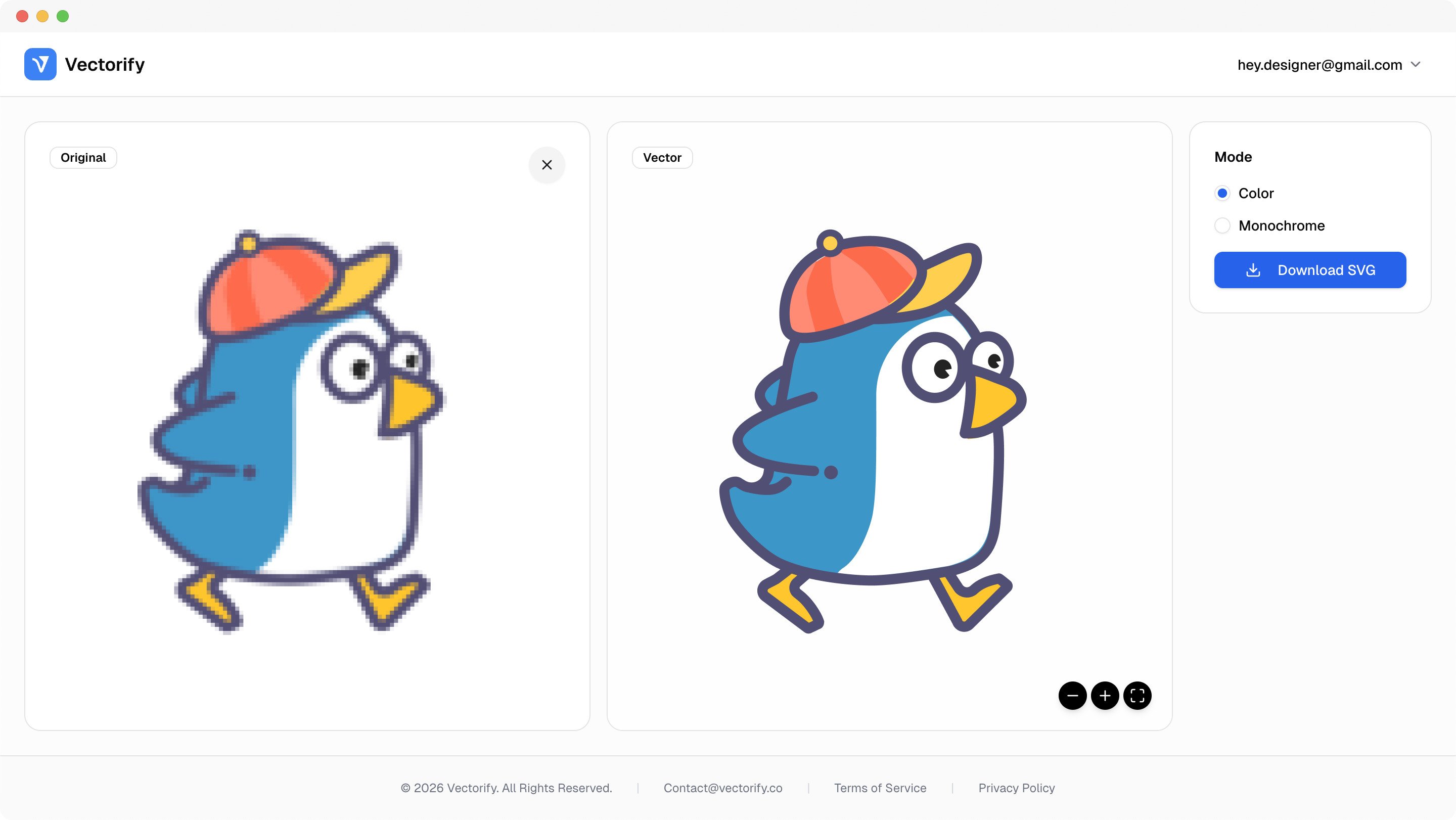
Get production-ready SVGs in three simple steps.
Upload a source image in PNG, JPG, WEBP, GIF, or BMP format.
Vectorify converts the file into scalable SVG paths for preview.
vectorizing..
Download when satisfied using one-time credits.


Most teams comparing converters care about output quality, predictable workflow, and clear pricing. This page focuses on those practical tradeoffs.
Hard to compare output quality without running real files
Subscription-first pricing can feel heavy for occasional usage
Teams need predictable conversion flow before production handoff
Built for clean conversions where vector quality and scalable output matter.
Logo and icon conversion
Pay-as-you-go SVG workflows
Fast browser-based vector conversion
Pay as you go with one-time credit packs.
$3
5 credits
5 downloads
$6
25 credits
25 downloads
$9
50 credits
50 downloads
Vectorify uses one-time credits so you can convert when needed without committing to a monthly subscription.
Yes. You can preview conversion results before spending a credit on download.
Yes. Clean logos and icon-style graphics are a strong fit for this workflow.
Yes. Output is standard SVG and can be edited in common vector tools.